The Convergence of Cyber and Physical Security in the Built Environment
Explore how cyber and physical security intersect, and why network design, device hardening, and lifecycle planning are vital...
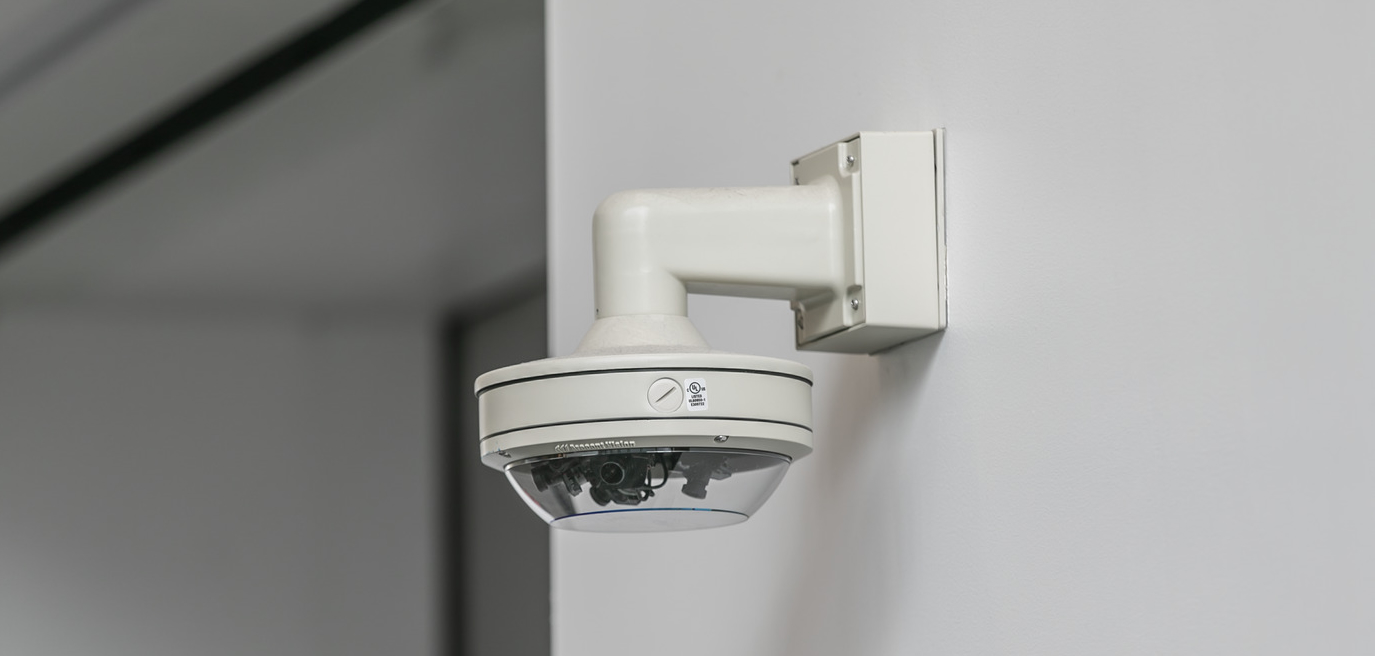
Physical security systems are often expected to work reliably for years, protecting people, facilities, and critical assets. But even when a camera still produces a clear image or a card reader continues to grant access, the technology behind it may be falling behind. Aging security hardware can introduce cybersecurity vulnerabilities, create compatibility issues, and increase the likelihood of unexpected downtime.
For organizations managing security across multiple buildings or campuses, these risks can be difficult to track. Equipment is often replaced only when it fails, leaving security teams to address problems under pressure. A proactive hardware lifecycle strategy helps organizations identify risks earlier, prioritize investments, and maintain a more resilient security infrastructure.
A device does not have to fail physically to become a liability. Security cameras, access control readers, and controllers rely on firmware and software to operate securely. As technology evolves, manufacturers release updates to address vulnerabilities, improve compatibility, and support current security standards. When a device reaches End of Support (EOS), those updates and manufacturer support may no longer be available.
Without regular security patches, a device may continue operating normally while retaining known vulnerabilities. If compromised, it may provide an entry point into the physical security system or, depending on the network architecture and available controls, the broader corporate network. Older equipment may also lack protections increasingly common in modern devices, including current encryption capabilities, secure boot processes, and stronger authentication mechanisms.
End of Life (EOL) presents a different but related challenge. Equipment that has reached EOL is no longer manufactured or available for purchase, making replacement parts harder to source. Organizations may find themselves maintaining systems running with limited options for repair, replacement, or expansion.
These milestones matter because security technology does not operate in isolation. Cameras, access control devices, servers, software, and network infrastructure must work together. As individual components age, compatibility issues can affect the reliability and security of the overall system.
Reactive replacement often seems like a practical way to maximize the value of an existing investment. If a device still works, replacing it may not feel urgent, particularly when budgets are tight. But waiting until equipment fails often shifts costs rather than eliminating them.
The financial impact extends beyond purchasing replacement hardware. Unexpected failures can require emergency labor, expedited shipping, additional troubleshooting, and unplanned installation work. Security teams may also need to divert time from other priorities to coordinate repairs and maintain temporary security measures while systems are offline.
The long-term costs of operating a security system can also be greater than its initial purchase price. According to a 2024 total cost of ownership analysis by Axis Communications, approximately 70% of a video security system’s total cost occurs after its initial acquisition, including ongoing operation, maintenance, and eventual decommissioning. This highlights why evaluating equipment solely on its upfront cost can overlook significant expenses associated with keeping systems operational and supported.
Operational disruptions introduce additional expenses that are difficult to predict. A failed camera can leave an area without video coverage, potentially requiring additional security personnel. A malfunctioning access control system can disrupt how employees and contractors enter a facility, requiring temporary manual processes that increase labor demands. Missing video footage or unavailable system records can also complicate investigations.
For healthcare facilities, data centers, airports, critical infrastructure sites, and pharmaceutical or research environments, these disruptions can carry particularly serious consequences. Security coverage and controlled access may be essential to protecting people, maintaining operations, and meeting organizational requirements.
Planning replacements in advance gives organizations more control over procurement, installation schedules, and budgets. It also creates an opportunity to coordinate upgrades with other planned work, rather than responding to an urgent problem.
There is no universal replacement timeline for physical security hardware. Equipment lifespan depends on manufacturer support policies, environmental conditions, operating demands, cybersecurity requirements, and business priorities. A camera exposed to harsh outdoor conditions may age differently from one installed in a controlled indoor environment. A device supporting a critical operation may also warrant earlier replacement than equipment serving a lower-risk area.
Rather than relying on age alone, organizations should evaluate their security assets based on lifecycle status and security readiness, categorizing equipment as End of Life (EOL), End of Support (EOS), or Secure Modern State. These classifications help identify where equipment stands in its lifecycle and where upgrades may be needed.
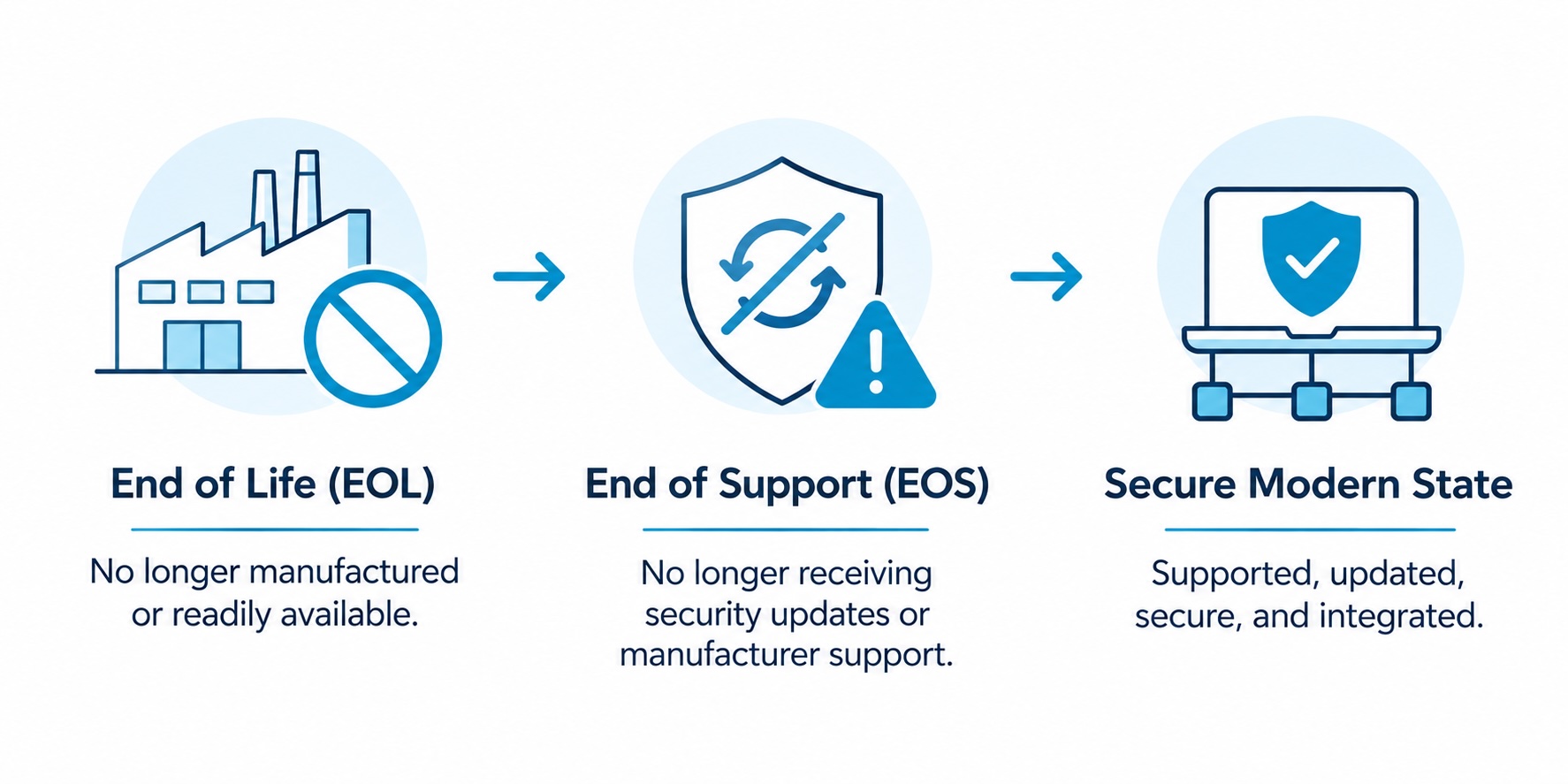
These categories provide a starting point for evaluating the existing infrastructure. They also help distinguish equipment that is simply older from equipment that presents a meaningful operational or cybersecurity risk.
A practical lifecycle plan begins with an inventory of the organization’s security assets. For each device or system, teams should document the manufacturer, model, installation date (where available), warranty expiration, firmware and software versions, support status, service history, and any known failure trends. Dependencies on other systems should also be recorded to identify potential compatibility issues before an upgrade begins.
Reviewing this information at least annually helps organizations identify approaching support deadlines, recurring maintenance problems, and equipment that may need to be replaced. More mature programs incorporate physical security assets into the same technology governance and budgeting processes used to manage IT infrastructure.
Annual budget planning, software and service renewals, and manufacturer lifecycle announcements provide natural opportunities to evaluate security technology. Instead of treating these milestones as routine administrative tasks, organizations can use them to ask whether existing hardware remains supported, meets current cybersecurity requirements, and will integrate with planned system upgrades.
These reviews also make it easier to distribute replacement costs across multiple fiscal years. An organization that identifies a group of devices approaching EOS well in advance can develop a phased replacement plan, secure funding, and schedule installations around operational needs.
For large portfolios, replacing every aging device at once is rarely practical or necessary. A risk-based approach helps teams determine where investment will have the greatest impact. Unsupported devices, equipment with known vulnerabilities, and systems supporting critical operations should generally receive priority. Other assets can be scheduled for later phases based on their condition, support timelines, and operational importance.
The objective is not to replace hardware simply because it has been in service for a certain number of years. It is to ensure the security ecosystem remains supportable, resilient, and capable of meeting the organization’s needs.
Physical security is most effective when its supporting technology is managed as an interconnected system. Decisions about replacing a camera, upgrading an access control platform, or retiring an outdated server can affect cybersecurity, system integration, maintenance requirements, and day-to-day operations.
A proactive lifecycle strategy brings these considerations together. By evaluating existing infrastructure, identifying dependencies, and prioritizing upgrades according to risk, organizations can make more informed decisions about when and how to invest in security technology.
TEECOM helps clients plan and coordinate the technology systems that support secure, reliable building operations. Evaluating existing infrastructure and its long-term requirements can help owners identify potential gaps, plan upgrades around operational constraints, and align security investments with broader technology and facility goals.
The most effective time to address aging security hardware is before it becomes an emergency. With a documented lifecycle plan, organizations can reduce avoidable disruptions, manage costs more predictably, and maintain security systems that continue to support their needs as technology and threats evolve.
TEECOM supports the design of integrated security systems that enhance safety, awareness, and operational control. We coordinate with project teams to align security technologies with architectural, operational, and user requirements. Our early engagement helps ensure systems are effective, scalable, and seamlessly integrated into the built environment. Contact us to learn more about how TEECOM can assist with security systems in your next project.
Lauren Dew is a security and technology designer at TEECOM with more than 13 years of experience spanning hands-on fieldwork, project management and consulting. Her field and design experience gives her a practical approach to developing security systems that are constructible, reliable and aligned with client needs. Lauren has supported projects across healthcare, higher education, corporate, manufacturing, correctional, and K-12 environments.
उद्योग के रुझानों, थॉट लीडरशिप, कर्मचारियों की कहानियों और विशेषज्ञ अंतर्दृष्टि पर हमारे नवीनतम ब्लॉग पोस्ट के साथ सबसे आगे रहें।